
What IoTFlows does
Learn what IoTFlows measures, which part of it answers your question, and where to start.
IoTFlows is a manufacturing intelligence platform that monitors machines with plug-and-play sensors or custom integrations to any PLC, robot or sensor, and turns the data into utilization, downtime, OEE, production scheduling and maintenance workflows.
Everything you set up lives in an organization, the account that owns your machines, your people and your data. IoTFlows creates it for you, and one sign-in can belong to several. See Switch between organizations.
Start here
Quickstart
Take one machine from a sensor in the box to live utilization in about an hour.
How IoTFlows works
Follow one reading from the sensor through the network and the cloud to your screen.
Sign in
Sign in at dashboard.iotflows.com with your email, your company's SSO or a two-step code.
Install the mobile app
Get the iOS or Android app. You need it to put a sensor on Wi-Fi.
What the platform measures
A sensor on the machine decides, second by second, whether the machine is running. The IoTFlows cloud turns that stream into numbers, and the web dashboard and the mobile apps show them live.
How a reading travels: sensor, then Wi-Fi or the 4G/LTE router, then the IoTFlows cloud, then the dashboard and the mobile apps.A diagram of four layers. A machine with a sensor feeds two parallel network paths, Wi-Fi and a 4G/LTE router, which both lead into the IoTFlows cloud, which in turn feeds a dashboard and a mobile app. Labels under each layer read: running or stopped decided here; carries readings, decides nothing; utilization, uptime, downtime, parts, health; live, over MQTT.What a sensor reads depends on the device. SenseAi reads vibration and acoustics, SenseAi Embedded reads vibration and temperature, and BeamTracker reads a laser beam that a passing part breaks. From those readings, IoTFlows reports:
- Uptime: the share of time the machine ran, running time divided by running plus stopped time. The Assets page shows the same figure as Utilization.
- Downtime: the time the machine was stopped, whether or not anyone has given the stop a reason yet.
- Part counts: units BeamTracker counts directly, or cycles a detection algorithm finds in the SenseAi and SenseAi Embedded trace, once you set up a part and an operation.
- Health score: a 0 to 100 score per machine from the vibration that SenseAi and SenseAi Embedded read, measured against the machine's baseline.
IoTFlows reports the OEE factors on their own: availability as uptime, performance as the parts gauge, and quality from the scrap your team logs against a job. Every metric has one definition, in How each metric is calculated.
An asset is one machine as IoTFlows tracks it, and a node is the device record paired to that asset. An asset with no node shows no data.
The hardware
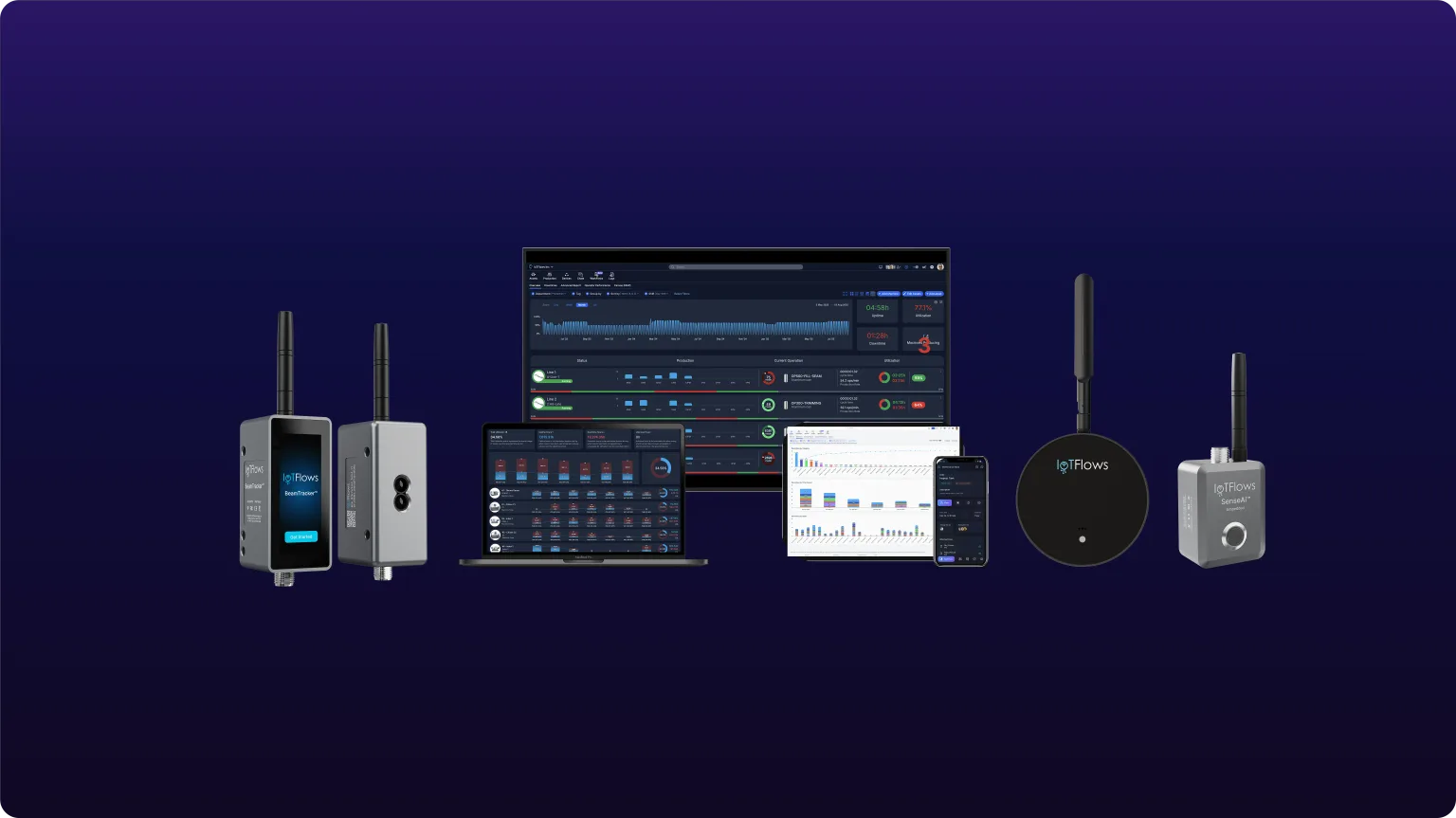 The BeamTracker, SenseAi and SenseAi Embedded sensors, and the dashboard they report into on a wall display, laptop, monitor and phone.
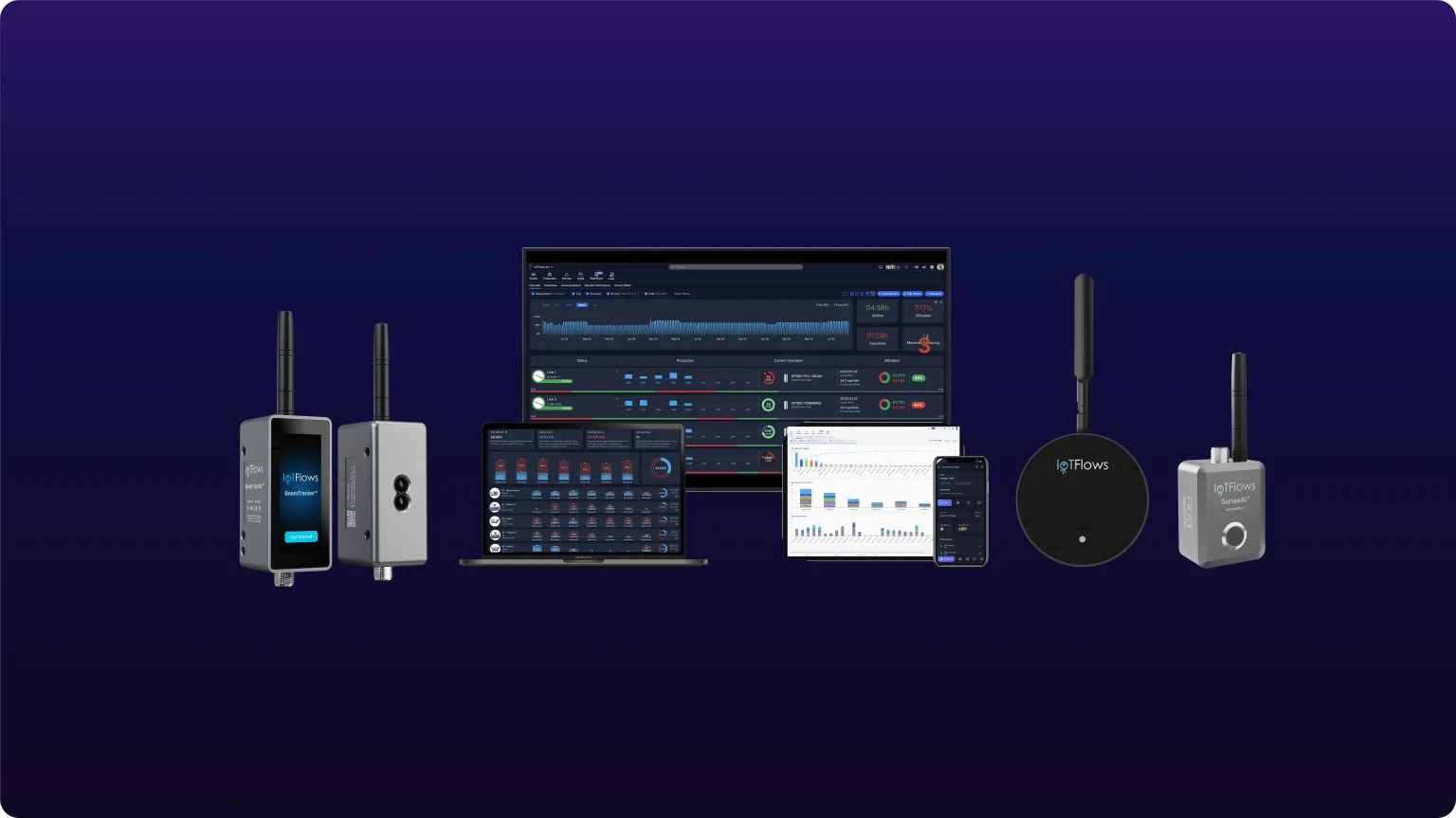
Pick a device by what you need to know about a machine, not by what the machine is.
| Device | Choose it when |
|---|---|
| SenseAi | You monitor general machinery on an ordinary shop floor. It reads vibration and acoustics and mounts with magnets on or near the machine. |
| SenseAi Embedded | You can mount on the motor or spindle itself, or the spot sees coolant, wash-down or dust. It reads vibration and temperature and is IP67 rated. |
| BeamTracker | You count units moving along a fixed path, such as a conveyor. Each unit that breaks its laser beam is one count. |
| IoTFlows 4G/LTE router (IFCR-150) | Plant IT will not put devices on the facility network, or the machine is out of Wi-Fi range. It carries traffic and reads nothing. |
For data straight from PLCs, robots or third-party sensors, an Enterprise custom integration connects them through the IoTFlows edge device. To match a device to one machine, see Choose for a machine.
The products
Each product has its own section in these docs. Open the one that matches your job.
Machine monitoring
Whether each machine is running now, how much of the shift it ran, and where the stopped time went.
Production
Good and scrap counts against a shift goal, and jobs planned across machines in the Production Scheduler.
Maintain
Requests, work orders, preventive schedules and meters, with work orders opened from a stop, a rule or a meter.
Inventory
Parts and tools counted by location, with stock that moves when a work order closes.
Alerts and integrations
Event rules that reach people by email, push or SMS, post to Slack, Microsoft Teams or Discord, or open a work order.
Messaging
Chats between people on the web and in the apps, and comments that stay with a work order.
Hardware
Mount, connect and calibrate SenseAi, SenseAi Embedded, BeamTracker and the 4G/LTE router.
Administration
Members, roles, machine access, shifts and time zone, and billing.
You do not need Production or the Production Scheduler to know whether machines are running. Uptime, utilization and downtime come from the sensor alone.
Which page answers which question
| I want to… | Read |
|---|---|
| Know whether a machine is running right now | Monitor your fleet on the Assets page |
| Find out where my machine hours go | Analyze downtime with Pareto and trend charts |
| Count good parts and scrap per shift | Overview: track and schedule production |
| Sequence jobs across machines | Overview: track and schedule production |
| Get told when a machine stops | Overview: alerts and integrations |
| Plan maintenance and act on breakdowns | Overview: maintenance management |
| Know what spare parts are on the shelf | Overview: track parts and tools |
| Decide which sensor fits a machine | Overview: IoTFlows hardware |
| Look up a term | Glossary |
What you need to get started
- A device for each machine you want to watch: SenseAi, SenseAi Embedded or BeamTracker.
- A 2.4 GHz Wi-Fi network that reaches the machine, or the IoTFlows 4G/LTE router.
- The IoTFlows mobile app on the phone you carry to the machine. Wi-Fi setup runs over Bluetooth from the app.
- A sign-in with the Organization Owner or Organization Administrator role. Only those roles can add a machine. See Roles reference.
IoTFlows onboards the hardware for you. Devices arrive registered to your organization, so you never create one. You add each machine as an asset, and IoTFlows pairs the device to it, usually during onboarding. To have a device paired, see Contact support.
With those in place, follow the Quickstart for your first machine.
The platform and pricing
The IoTFlows platform
Monitor, schedule and maintain every machine on the floor, on one platform.
Pricing
Per-device plans, the Enterprise plan and the hardware, in one place.